Creating A Loaner Pod
- Click on Loaner in the left-side menu.
- Click Add Pod to open the Add a New Loaner Pod pop-up.
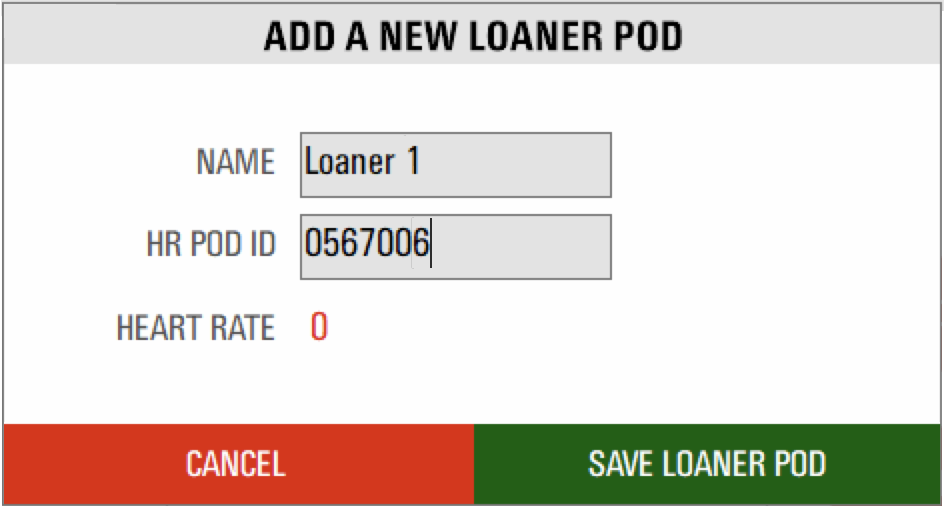
- Assign the pod a name, and type the Pod ID in the appropriate fields, then click Save Loaner Pod. The pod will now appear in your Loaner Pods list.
Assigning a Loaner Pod
- Go to the Member Profiles screen.
- Select the member profile you want to add a loaner pod to and click Modify Members.
- If you are setting up a new profile to use a loaner pod, click Add Members instead. Fill out the profile and then follow these steps rather than adding a pod ID.
- Click on the Loaner Pod field drop down box and select the pod name you wish to assign to the member.
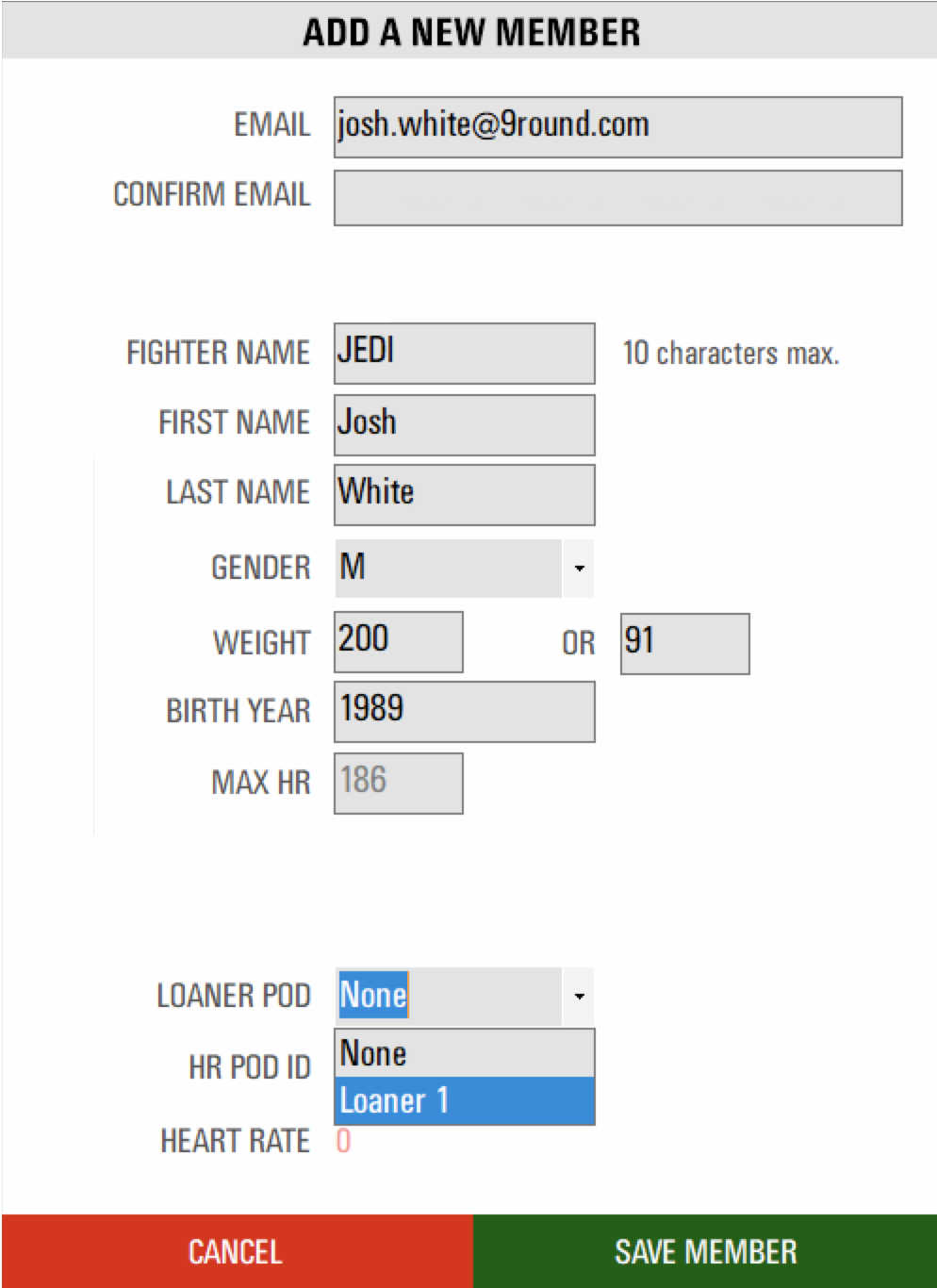
- Click Save Member. The member profile will now appear on the tile screen while wearing the loaner.
- Once assigned, the loaner pod cannot be assigned to another member profile until it has been cleared.
Clearing Loaner Pods
There are two methods to remove a loaner pod from a profile.
- Click Clear Loaners in the Member Profiles screen. This will remove any assigned loaners, so make sure none are in use when using this option.
- Find the member profile and change the Loaner Pod field to None, then click Save Member. The loaner pod will now be unassigned.