Reconnect to PerformanceIQ WiFi
Connect to PerformanceIQ Network
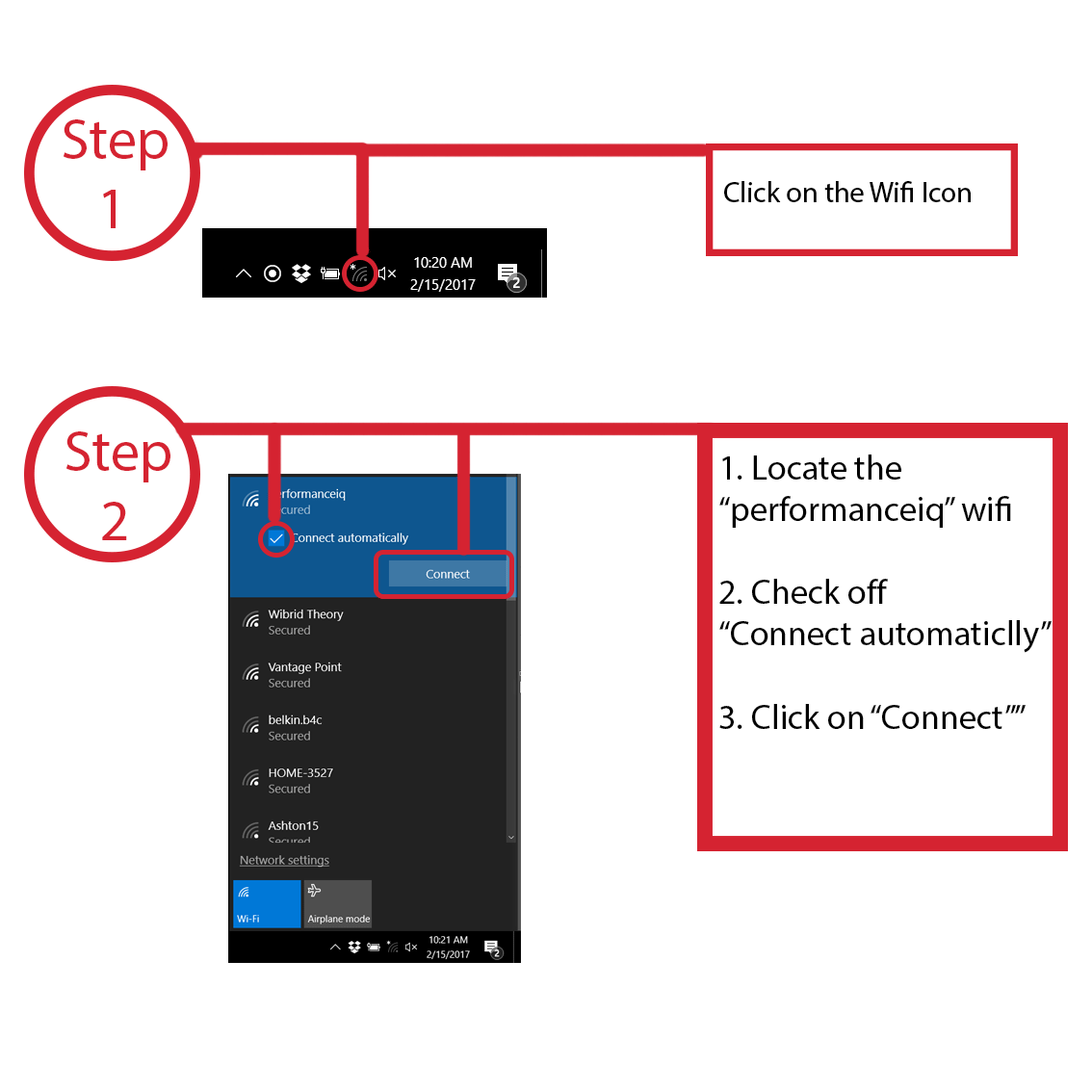
- Check available WiFi Networks at the bottom right of the screen.
- Select the performanceiq network.
- Ensure "connect automatically" is checked.
- Click connect.
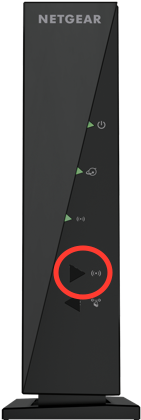
- If the performanceiq network does not appear in your available Wi-Fi networks, check your Netgear router.
- All three status lights should be green.
- If the third light is not green, press the WiFI button on the front of the router (the top button, beneath the lights).
- If the network still does not appear or allow you to connect, restart the router.
- If the network still does not appear or allow you to connect, restart the laptop.
5 out of 8 found this helpful